 Daniel Mitchell
 Key Takeaways
- On the oven code pages the first number tends to name the system and the second narrows it down: F3 is a sensor, F5 the door latch, F6 communication, F9 the temperature safety.
- F9 E0 is a critical safety fault: do not use the oven in any heating mode until a technician has repaired the cause.
- F5 E1 only blocks self-clean, but F5 E2 leaves the door locked and the oven should not be used until it is released.
- F30, F31 and PF are notices or steam-oven faults, not signs of a failed oven.
- Write the code down exactly, with the space, and note whether the oven is single, double or combination.
The Bottom Line
Treat every code except F5 E1, the steam-oven notices and PF as a reason to stop cooking. Note the exact code and the oven type before you call.
KitchenAid wall ovens report faults in a compact two-part format, an F and a number, then an E and another number, and the pattern is more useful than it looks. The first number names the system that has a problem, and the second narrows it down. Once you can read that, a list of KitchenAid oven error codes stops being a pile of look-alikes and becomes a short map: sensors, door latch, control and keypad, communication, and a few that are only notices. This guide walks that map and says which codes mean stop using the oven.
| Code | What it reports | Keep using the oven? |
|---|---|---|
| F1 E0 | Memory (EEPROM) checksum failure on the main board | No |
| F2 E0 | Shorted or stuck key on the keypad | No |
| F3 E0 / F3 E2 | Upper / lower oven sensor open circuit | No |
| F5 E1 | Door latch did not lock | Yes, but no self-clean |
| F5 E2 | Door latch did not unlock after cleaning | No |
| F6 E0 / F6 E4 | Communication loss: display board / microwave module | No |
| F7 E1 | Lower bake element relay fault | No |
| F9 E0 | Oven temperature runaway | No: critical safety fault |
| F30 / F31 | Steam oven water tank empty / steam sensor fault | Yes |
| PF | Power failure detected | Yes |
How Do You Read a KitchenAid Oven Error Code?
On this site's oven code pages the first number tends to point to the system and the second to the detail, but the pattern is not universal, so confirm your exact code on its own page. F1 is the control board's memory, F2 the keypad, F3 a temperature sensor, F5 the door latch, F6 a communication link, F7 a relay and F9 the temperature safety. The E digit separates cases within a system: F3 E0 is the upper oven sensor and F3 E2 the lower one, and F5 E1 is a door that will not lock where F5 E2 is a door that will not unlock.
That grouping matters because the same fault family sometimes appears across several appliances with different meanings, and only the code page for your oven tells you what yours means. Always check the appliance as well as the number.
- F3 E0 versus F3 E2 — the same fault in two places, the upper and the lower cavity of a double oven.
- F5 E1 versus F5 E2 — the same latch, failing to lock in one case and failing to unlock in the other.
- F6 E0 versus F6 E4 — a data link broken between the display and the main board, or between the main board and a microwave module.
- F30 versus F31 — a steam oven water tank that is empty, and a steam sensor that reads out of range.
Which KitchenAid Oven Codes Mean Stop Using the Oven?
Most of them. Everything on the table above marked No should be treated as a reason to stop cooking until the cause is found, because each one removes a layer of control or safety: the temperature sensing, the memory that holds calibration, the link between the boards, or the relay that switches the element. F9 E0 is the most serious; our oven F9 E0 page calls it a critical safety fault and says continued use risks fire.
- Stop immediately: F9 E0, with smoke or a burning smell, or any code that returns on the first bake after a reset.
- Stop and call: F1 E0, F3 E0, F3 E2, F6 E0, F6 E4 and F7 E1, none of which a homeowner can repair.
- Safe to keep cooking: F5 E1, which only blocks self-clean, plus the steam-oven notices and PF.
The Sensor Codes: F3 E0 and F3 E2
These mean the control sees an open circuit on a cavity temperature sensor, the resistance probe mounted on the back wall. On a single oven that is F3 E0, and on a KODE or KODC double oven F3 E2 points at the lower cavity. Without a valid reading the oven cannot prevent overheating, so the control cuts the elements and the oven will not preheat. A breaker reset does not help, because the code returns the moment the board samples the open circuit.
The cause is usually the probe itself, a broken or corroded harness, or in rare cases the board's own input. See oven F3 E0 and oven F3 E2 for the symptoms.
Door Latch Codes: F5 E1 and F5 E2
F5 E1 means the latch motor was told to lock and never confirmed it, and F5 E2 means it was told to unlock after a self-clean and never confirmed that either. They sound alike and carry opposite consequences. With F5 E1 the door is not locked, so normal baking works and only self-clean is blocked. With oven F5 E2 the door is physically locked, and the page says not to cook with the cavity inaccessible.
The first response to F5 E2 is patience. A cavity can still read as too hot even when it feels cool, so allow time after the cycle, then try a five-minute breaker reset. Never force the handle. Our KitchenAid oven self-clean safety guide covers the cycle itself.
Control, Keypad and Relay Codes
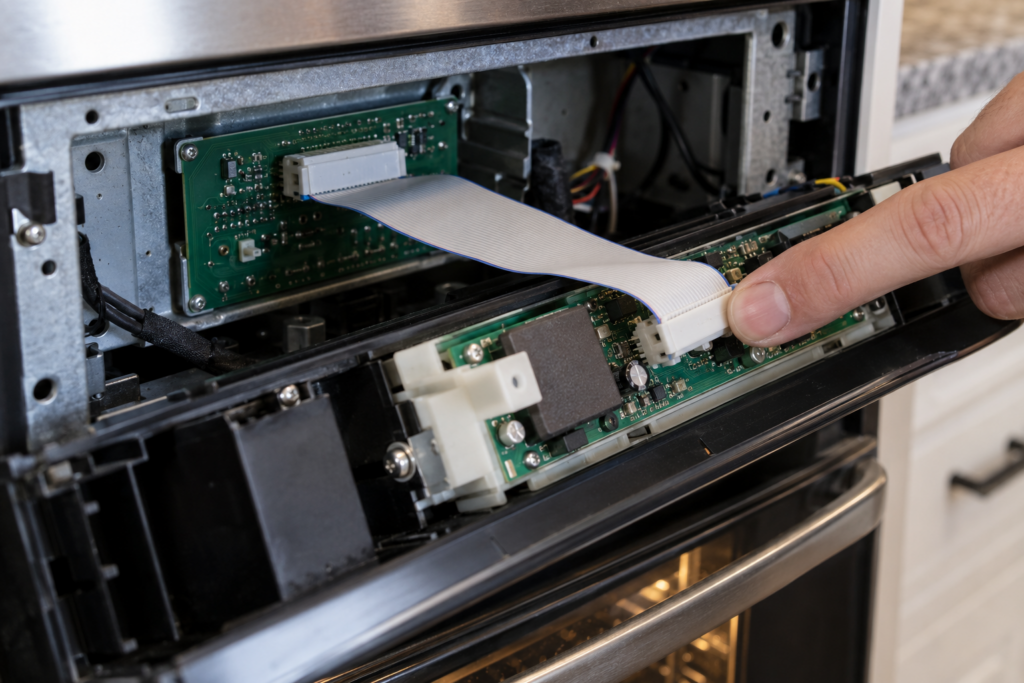
These sit on the boards and the relays that switch the heat, and they are mostly professional work. A breaker reset is worth trying for the communication and keypad codes, because a transient fault or a software deadlock can clear, but repeated returns point at hardware.
- F1 E0 — the memory chip that holds firmware and calibration cannot be verified, so the oven is locked out.
- F2 E0 — the control believes a key is held down and stops accepting input; moisture or a damaged membrane is the usual reason.
- F6 E0 — the display board and the main board have lost their data link; a pinched or loose ribbon cable is the cheapest cause.
- F6 E4 — the same kind of break between the main board and the microwave module on a combination oven.
- F7 E1 — the relay that supplies power to the lower bake element has failed.
What Do F30, F31 and PF Mean?
None of them is a breakdown. F30 on a KOSC steam oven means the water tank is empty or below the minimum level, so the control blocks steam until you refill it. F31 means the steam generator sensor reads outside its expected range, which is worth a look if it repeats. PF is a power failure notice: the oven lost supply power while a cycle was active, and nothing has failed. Our what does PF mean on a KitchenAid oven guide covers it in depth.
If a code does not appear in this guide, do not guess from a similar one. Our KitchenAid oven not heating guide covers the symptom side, where the display shows nothing at all but the oven stays cold.
Getting the Right Diagnosis
Write down the code exactly as shown, including the space, and note whether the oven is a single, a double or a combination model. That is usually enough for a technician to know which board or sensor to bring. The KitchenAid oven repair page lists what a visit covers, and our oven repair costs guide gives the price picture. The final price is confirmed after on-site diagnosis, with a written estimate before any work begins. Book a visit or send us the model number and the code on the display.