 Daniel Mitchell
 Key Takeaways
- PF is a power failure notification, not a fault, and any key press clears it.
- F3 and F4 are sensor faults that lock out Sensor Cook or convection programs, while normal microwave cooking stays safe.
- A door error is F7, a failed interlock switch, a misaligned latch or a damaged harness, and the oven should not be used until it is fixed.
- F1, F5, F6 and F9 also mean stop using the microwave until it is serviced.
- F5 and F6 involve the cooling fan and the high-voltage circuit, so there is no safe homeowner fix for either.
The Bottom Line
Sort your code into the three groups before doing anything else. PF is normal, F3 and F4 limit one program, and every other code means stop using the oven until it is checked.
A KitchenAid microwave door error is one of the most common reasons an oven refuses to start: you press Start, the display shows F7 and nothing happens, even though the door looks shut. The door error is only one code in a family that sorts into three groups, one that is not a fault at all, a few that only lock out a feature, and a larger set that tells you to stop using the oven until it is serviced. The full list is in our KitchenAid microwave error codes directory, and the table below places the door code beside the rest.
| Code | What it reports | Safe to keep using? |
|---|---|---|
| PF | Power failure notification | Yes — normal, clears with any key press |
| F3 | Humidity sensor fault | Yes — only Sensor Cook programs are affected |
| F4 | Cavity temperature sensor | Maybe — microwave-only modes are fine |
| F2 | Stuck keypad button | No — keypad locked out |
| SE | Shorted keypad scan line | No — until dried or replaced |
| F1 | Main control board fault | No |
| F5 | Cooling fan fault | No — fire and magnetron risk |
| F6 | Magnetron circuit fault | No — high-voltage fault |
| F7 | Door switch fault | No |
| F9 | Communication loss between boards | No |
What Does a Door Error Mean on a KitchenAid Microwave?
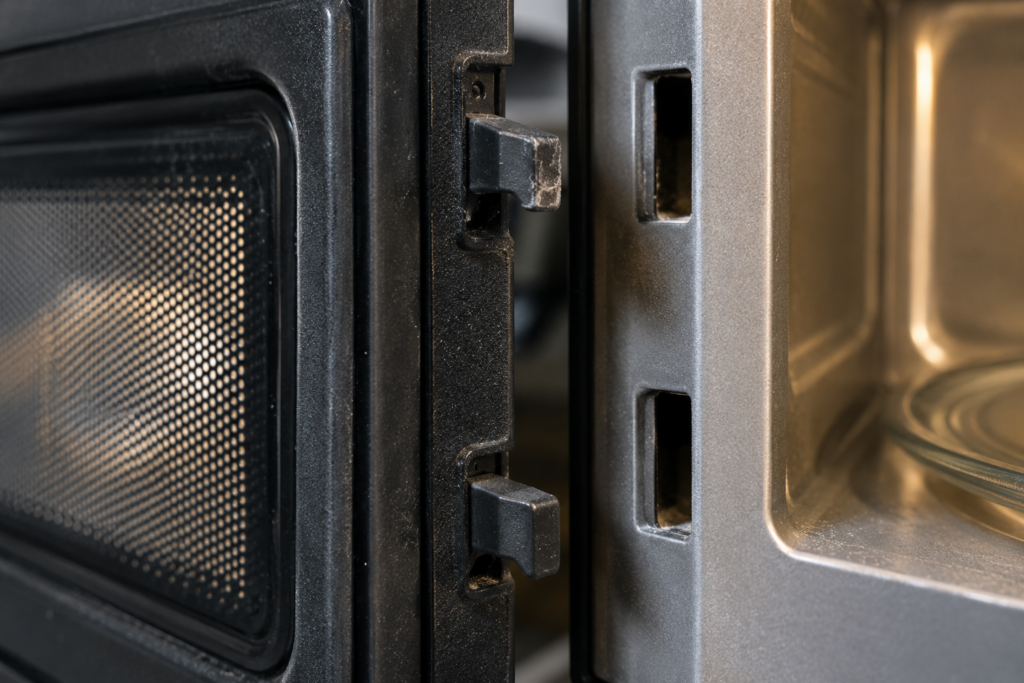
A door error means F7: the door interlock circuit is reporting a state the board cannot accept. Every microwave has two or three redundant door switches that must change state in a set sequence as the door opens and closes, and when they do not, the oven refuses to run. It is not safe to keep using, and a power reset does not clear it.
- Will not start with the door clearly closed: Start produces F7 and no cycle begins.
- Light and fan behaving oddly: the cavity light stays on with the door shut, or the fan runs briefly at odd times.
- F7 as the door moves: the switches are not changing state in the right order.
The usual causes are a failed interlock switch, the most common electrical failure in a microwave, a door latch that has worn or shifted out of alignment, or a harness wire that is broken or pinched. A door that has been slammed repeatedly can misalign the latch over time.
- Close the door slowly and listen for two or three small clicks in quick succession, which is what working switches sound like.
- Look at the latch hooks and the receiver inside the frame for wear, cracks or deformation.
- Never fool the switches with tape or magnets to run the oven with the door open, because emission standards assume working interlocks.
- Book service if the latch looks fine and F7 persists, since switch testing needs the cabinet open.
Our KitchenAid microwave F7 page lists the same checks, and a replaced interlock switch or latch is the usual fix.
Is PF on a KitchenAid Microwave a Fault?
No. PF stands for Power Failure and is a notification, not a malfunction: the microwave detected a loss of supply power and is telling you the clock and any running cooking cycle have been reset. Any key press clears it, and the oven is fully usable immediately afterward.
The one thing PF deserves is a thought about the food. A cycle that was interrupted by an outage may have left whatever was inside only partly cooked, so check it before eating it. If PF keeps returning with no outage in the house, look at the supply, since the usual causes are a tripped breaker, a loose plug at the outlet or, less often, a failing backup capacitor on the control board.
Which KitchenAid Microwave Codes Mean Stop Using It?
Five of them: F1, F5, F6, F7 and F9, with F2 and SE close behind because a locked keypad cannot reliably stop a cycle. None of these clears with a power reset in any lasting way, and each one removes a layer of protection that the microwave relies on.
- F5, cooling fan: without airflow across the magnetron, the tube can reach damaging temperatures and become a fire hazard.
- F6, magnetron circuit: a high-voltage fault, and the internal components can hold a lethal charge even after the fault.
- F7, door switch: the oven cannot tell whether the door is shut, which risks microwave emission with the door open.
- F1, main control board: the board locks the oven out, and bypassing it risks uncontrolled magnetron operation.
- F9, communication loss: the display and the main board have stopped talking, so commands cannot be trusted.
F9 is the one exception to the no-reset rule: a full power reset clears a transient F9, though a persistent one needs service. For F5, F6 and F7, there is no safe homeowner fix, and the high-voltage parts are why our KitchenAid microwave high-voltage safety guide tells you not to open the cabinet.
What Do F2 and SE Mean on a KitchenAid Microwave?
Both are keypad faults, but they are different faults: F2 means a key looks continuously pressed, while SE means the board has detected a short on one or more keypad scan lines. In practice both are triggered most often by moisture or food splatter under the keypad edge, and both lock the controls.
- Power the oven down completely at the breaker or the plug.
- Wipe the keypad with a lightly misted cloth and then a dry one, without spraying cleaner onto the panel.
- For SE, leave it off for 24 hours in a dry room, because a dry-out can clear it when moisture was the cause.
- Restore power and press every pad. If the code returns, the membrane or its ribbon cable has failed and needs replacing.
F3 and F4: Codes That Lock Out Only Part of the Microwave
F3 and F4 are sensor faults that remove a program, not the oven. F3 means the humidity sensor in the exhaust airflow path has failed, which only affects Sensor Cook programs, and manual timed cooking stays fully safe. A failed sensor, a damaged harness or a sensor coated in grease or soot are the usual reasons.
F4 is the cavity temperature sensor, and it appears only on combination models such as the KMBP, KOCE and KMBS series, because basic microwaves have no such sensor. Standard microwave cooking is unaffected, while convection and combination programs are locked out, so use microwave-only modes until service. Neither code clears with a reset, since the board rechecks the sensor each time you request the affected program.
F1 and F9: The Two Board Codes
F1 is a general main control board fault, and F9 is a communication loss between the display board and the main power board. They sound similar and are treated very differently. F1 comes from a failed self-test, often after a power surge or a failed component, while F9 is frequently a loose or damaged ribbon cable between the boards.
- F1 returns right after a reset: the board or its wiring needs professional service.
- F9 clears after a full power reset: a transient event, though one worth noting if it repeats.
- Either one after a storm or an outage: a surge is the likely cause, and a surge protector helps afterward.
Our KitchenAid microwave F1 and F9 pages cover the symptoms and safe checks for each.
What to Do Next
Match your code to the table, take the safe step it names, and book service for anything in the stop-using group. Our KitchenAid microwave SE page lists the dry-out steps in detail, and our KitchenAid microwave repair or replace guide helps weigh a board or magnetron repair against a new oven. Keeping the grease filter clean also reduces sensor faults, as our microwave grease filter maintenance guide explains.
Our KitchenAid microwave repair service reads the fault and tests the part. A diagnostic visit starts from $95, and the final price is confirmed after the on-site diagnosis, with a written estimate before work begins. Book a visit or send us the exact code and the model number, and we will tell you which group it belongs to.